Best Fashion Blog

All About Fashion, Design, Vogue, Beauty and All Things Related To It Here.
Showing posts with label Apple. Show all posts

Monday, June 15, 2015

How To Have Natural White and Healthy Teeth with Fruits

How much does it cost you to have your teeth whitened at the dentist? We’re pretty sure it will run into tens, if not hundreds of dollars. So why not consider a more natural way of doing it at home instead. This doesn’t involve harsh abrasives, toxic chemicals or anything like bleach! This is a more


natural yet still effective way of making those ‘pearly whites’ sparkle the way you like them to. You’ll find this method especially useful if you drink a lot of tea or coffee as we know these are some of the prime culprits in darkening beautiful white teeth. If you smoke that will also stain your teeth, as well as do untold damage to the rest of your body, so do prioritize your health if you can. The best thing you notice when you start to watch the video presented by Dajana248is that there are only two components to the teeth-whitening paste, and neither of them is expensive.


Source: Google

Wednesday, September 18, 2013

Where To Download iPhone, iPad and iPod Touch iOS 7 Firmware Files From!

Where To Download iPhone, iPad and iPod Touch iOS 7 Firmware Files From
Below you can find the direct download links to the iPhone, iPad and iPod Touch Firmware Files for every released firmware version. Please note that if you use Safari you must disable the auto unzip feature. It may be easier to just use Firefox!


iPad:
7.0.0 (iPad 2 Wi-Fi): iPad2,1_7.0_11A465_Restore.ipsw
7.0.0 (iPad 2 GSM): iPad2,2_7.0_11A465_Restore.ipsw
7.0.0 (iPad 2 CDMA): iPad2,3_7.0_11A465_Restore.ipsw
7.0.0 (iPad 2 New): iPad2,4_7.0_11A465_Restore.ipsw
7.0.0 (iPad Mini Wi-Fi): iPad2,5_7.0_11A465_Restore.ipsw
7.0.0 (iPad Mini GSM): iPad2,6_7.0_11A465_Restore.ipsw
7.0.0 (iPad Mini CDMA): iPad2,7_7.0_11A465_Restore.ipsw
7.0.0 (iPad 3 Wi-Fi): iPad3,1_7.0_11A465_Restore.ipsw
7.0.0 (iPad 3 CDMA): iPad3,2_7.0_11A465_Restore.ipsw
7.0.0 (iPad 3 GSM): iPad3,3_7.0_11A465_Restore.ipsw
7.0.0 (iPad 4 Wi-Fi): iPad3,4_7.0_11A465_Restore.ipsw
7.0.0 (iPad 4 GSM): iPad3,5_7.0_11A465_Restore.ipsw
7.0.0 (iPad 4 GSM+CDMA): iPad3,6_7.0_11A465_Restore.ipsw

iPod Touch:
7.0.0 (5G): iPod5,1_7.0_11A465_Restore.ipsw


Source: Apple, iClarified

Wednesday, September 11, 2013

Download iOS 7 GM 11A465 Firmware for developers and non developers

The official download links of iOS 7 GM (gold master) ipsw just gone live on the Apple’s dev center. iOS 7 GM build 11A465. If you have a developer account, then you can directly download a complete ipsw firmware from here. Then restore the downloaded firmware through iTunes to install the GM version of iOS 7 onto their iPhone, iPad or iPod touch.

download ios 7GM 11A465 firmware

For those who are currently on iOS 7 beta 6, it won’t do any good to head over to the Software Update section of the Settings.app on device. As with previous years the Gold Master seed of this firmware refresh will not be offered as an over-the-air (OTA) update for existing beta users. It will therefore be necessary to grab the firmware file directly from the Member Center method above in preparation for a custom iTunes install, or download a complete unofficial firmware from the download links we posted below, soon be updated. If you keep a non-developer, then I think You are now need this unofficial download link for upgrading iOS 7 GM.
The Gold Master is the final version of iOS 7, the public version will see come September 18 ahead of Apple’s new iPhone launches.

iOS 7 GM 11A465 Firmware {Unofficial Links}

The GM ipsw for all devices is uploading!

iPhone 5
Mega link: GSM A1428 CDMA A1429
Mirror link 1: GSM A1428 CDMA A1429
Mirror link 2: GSM A1428 CDMA A1429
Mirror link 3: GSM A1428 CDMA A1429

iPhone 4S
Mega link: All Models
Mirror link 1: All Models
Mirror link 2: All Models
Mirror link 3: All Models

iPhone 4
Mega link: GSM Rev A GSM CDMA
Mirror link 1: GSM Rev A GSM CDMA
Mirror link 2: GSM Rev A GSM CDMA
Mirror link 3: GSM Rev A GSM CDMA

iPad 4
Mirror link 1: Wifi Wifi + GSM Wifi + CDMA
Mirror link 2: Wifi Wifi + GSM Wifi + CDMA
Mirror link 3: Wifi Wifi + GSM Wifi + CDMA

iPad mini
Mega link: Wifi Wifi + GSM Wifi + CDMA
Mirror link 1: Wifi Wifi + GSM Wifi + CDMA
Mirror link 2: Wifi Wifi + GSM Wifi + CDMA
Mirror link 3: Wifi Wifi + GSM Wifi + CDMA

iPad 3
Mega link: Wifi Wifi + GSM Wifi + CDMA
Mirror link 1: Wifi Wifi + GSM Wifi + CDMA
Mirror link 2: Wifi Wifi + GSM Wifi + CDMA
Mirror link 3: Wifi Wifi + GSM Wifi + CDMA

iPad 2
Mega link: Wifi Wifi Rev A Wifi + GSM Wifi + CDMA

iPod touch 5
Mega link: All models
Mirror link 1: All models
Mirror link 2: All models
Mirror link 3: All models

iTunes 11.1 Beta 2 (Mac)

Note: The download speed may be slow due to regional restrictions. Please use the Chrome browser to download the firmware from Mega.

How to install iOS 7 GM

If the device is in iOS 6.x, then make sure your device is on iOS 6.1.4 (iPhone 5) others on iOS 6.1.3, it is best to a clean new system. If you have already upgraded iOS 7 beta 6, and want to install GM now, please click on Shift + “Check for Update” Button in iTunes to install the ipsw file. All your date will still be kept in new version, will not be erased.
Important: Hold down the Shift (Windows) or Alt/Option (Mac) key and hit theCheck for Update button on iTunes.
Some issues you might encountered
  • Please ensure that your device is iOS 6.1.4 (iPhone 5), iOS 6.1.3 (Other devices) before upgrading.
  • You’d better restore a new iOS 6.X firmware, to get a clean new system for the iOS 7 upgrading smoothly.
  • If you get an Error 3194 when using iTunes, then you probably need to modify the hosts file on your computer, to ensure iTunes can connect to Apple’s update server successfully.
  • If you frozen the Apple logo and progress bar screen, then you must installed many applications in the previous iOS 6, resulting iOS 7 update extremely slow, to fix that, you can only restore the device to iOS 6.1.4 from DFU mode, then try again.
  • If you get -1 Error When upgrading, try replacing another USB port or computer. If it still not works, enter to DFU, then restore back to iOS 6.x. This error may be due to the damaged baseband hardware.
  • If the iOS 7 Activation error occurred, fix it follow this guide we posted.
  • If iTunes prompts unknown error 6, follow this tutorial for fixing.


Source: jailbreakiosx.com

Thursday, August 29, 2013

High Quality Video Shows Graphite iPhone 5S, iPad Mini 2 Housings [Watch]

iPhone 5S, iPad Mini 2

High Quality Video


High Quality Video Shows Graphite iPhone 5S, iPad Mini 2 Housings


High Quality Video Shows Graphite iPhone 5S, iPad Mini 2 Housings


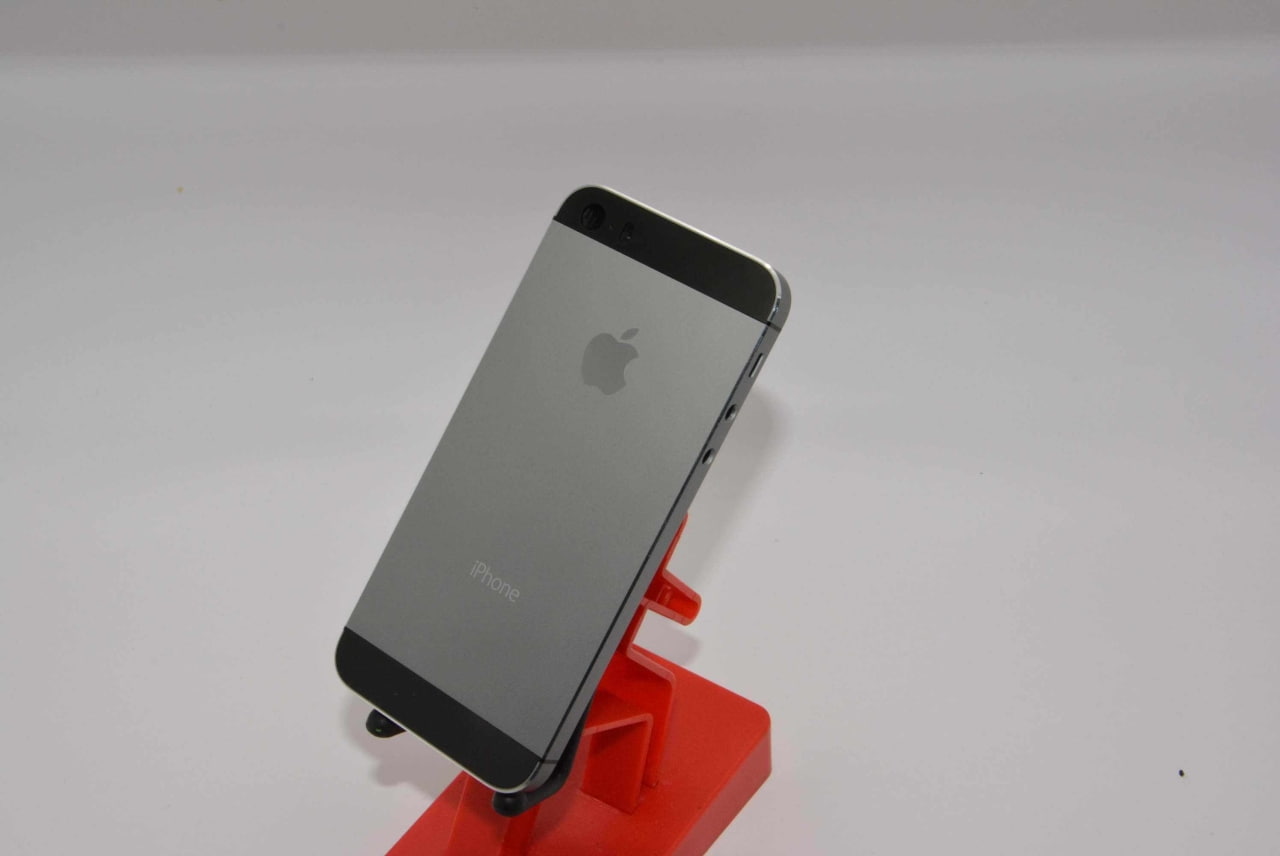
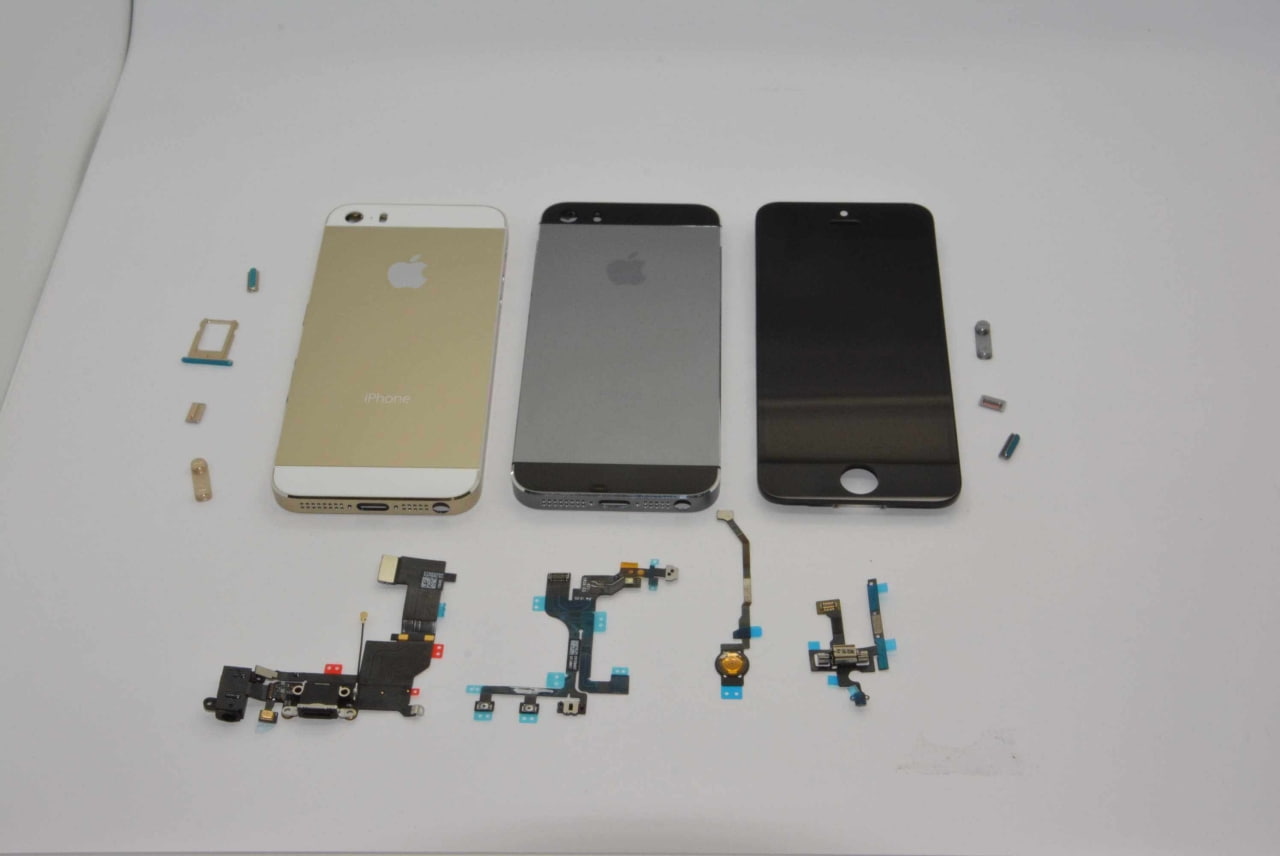
Check out this high quality video look at the graphite iPhone 5S and the iPad mini housings. The footage was posted by iCrackUriDevice and the parts were provided by Sonny Dickson.

Apple's graphite iPhone 5S and iPad Mini 2 first look and unboxing video. Both the iPhone 5S and the iPhone 5C will reportedly be unveiled on September 10th, 2013 during an exclusive media event and released on September 20th.

Earlier this week, Dickson posted a gallery of grey iPhone images predicting that Apple would release the iPhone 5S in four colours.

Take a look below...


If you can't watch video, watch from Here

For more Best news, see right side and bottom of this page, popular posts.


Source: iclarified, youtube

Tuesday, August 27, 2013

Rovio Gives Us More Information About the Upcoming Angry Birds Go Game


Angry Birds Go Game

Rovio

Rovio Gives Us More Information About the Upcoming Angry Birds Go Game


Rovio teased an upcoming game dubbed Angry Birds Go! back in the middle of June. Little was known about the game, but the tease included a video that showed a bird being launched down a road.

Rovio Tuesday uncovered a little more about the game, saying that the development team has been working with several concepts for how they could make the Angry Birds series different. The developers have tested endless runner versions of the game, one of many, and Angry Birds Go! was their best idea to date. The game developer's video can be viewed below:


For a mobile-friendly video link that works with our app, tap on the video link below:
Angry Birds Go! appears to be a kart racing type of game that will include the characters that we're all familiar with – Angry Birds and Bad Piggies. The rules of the game as well as the features that will be included are still unknown.
Rovio promises that more information will be available soon and that the game will launch some time in the future without an exact date in mind.

For more Best news, see right side and bottom of this page, popular posts.


Sources: Rovio

Yahoo Mail iOS app gets folder management, improved attachment handling

Download Yahoo Mail

Application for iOS


Yahoo Mail iOS app gets folder management, improved attachment handlingYahoo Mail iOS app gets folder management, improved attachment handling

The struggling Internet giant Yahoo released its native Mail app for the iPhone last December, but it fell on deff ear.

Fourth months later, a revamped version with native iPad support has arrived and Yahoo has since enhanced the experience by adding a couple improvements, including the useful business-focused support for multiple personal and Business Mail accounts.

As part of the sweeping streamlining announced on its blog this morning, Yahoo has pushed an incremental update to its iPhone, iPod touch and iPad client, the new version now allowing you to open attachments in other apps and manage multiple folders with ease…

First things first, here’s the new flattened icon.

Yahoo Mail iOS app gets folder management, improved attachment handling


Yahoo Mail version 1.5.9 now supports the iOS-standard ‘Open In’ feature which opens an attachment in a user-specified third-party app, provided it’s able to crunch the file type at hand. For example, if you have Amazon’s Kindle app installed on your device, you could use it to open PDF files received as email attachments.

How?

Easy, just tap on the message in the main message list view, then tap on the share button, select ‘Open With’ and choose a desired third-party app in the system menu.

Yahoo Mail iOS app gets folder management, improved attachment handlingYahoo Mail iOS app gets folder management, improved attachment handling

As for folder management, the app now lets you create, rename and delete mail folders by tapping ‘Edit’ next to the list of folders.

The updated software includes various bug fixes, including a fix for the sidebar showing up blank for certain users, especially folks whose devices are set to Arabic/Hebrew international preferences.

The app is optimized for the iPhone 5 and supports the iPhone 3GS/4/4S/5, fourth-gen iPod touch or later and iPads.

Download the universal Yahoo Mail app free from the App Store.

For more Best news, see right side and bottom of this page, popular posts.

Source: iDownloadBlog

Monday, August 26, 2013

iOS 7 general availability pegged for September 10

iOS 7

iOS 7 general availability pegged for September 10


We’ve suspected for some time Apple will be holding its big iPhone event on September 10, with sources claiming a Gold Master iOS 7 build for developers will get released that same day. That’s Apple’s standard modus operandi as past Gold Master (GM) builds were seeded to the company’s registered developers either at WWDC or at iPhone press conferences.
Alleged email communication Siri partner Nuance sent to devs now indicates iOS 7 GA will also be released the same day, on September 10. GA? GM?
There are some caveats here…
The Next Web contributing writer Owen Williams posted the below email from Nuance to his personal blog, it reads:
As you are probably aware, iOS 7 GA will be released on September 10th.The NDEV Program has pre-qualified that SpeechKit 1.4.5 works properly on iOS 7, but we encourage you to conduct own testing to ensure that when the upgrade happens, your Nuance speech services continue to work seamlessly.
First and foremost, I’m having a really hard time believing a Nuance email message would leak just like that. This is a company behind the Siri voice and an important Apple partner so surely they should know better than that.
With that off of my chest, what exactly is the difference between GM and GA?
In computer programming, a Gold Master refers to a final version of software ready for release to manufacturing. It’s (mostly) the same build that gets preloaded on actual devices prior to shipping.

iOS 7 general availability pegged for September 10


A GA build refers to General Availability.
Per Wikipedia, it’s the marketing stage at which “all necessary commercialization activities have been completed and a software product is available for purchase”.
In the vast majority of cases, GM and GA builds are the same.
But as the time between GM and GA can be anywhere from days to weeks to months, in some instances a GA release can be slightly updated and won’t be quite the same as the GM build released to developers.
You may also wonder why release iOS 7 GA for public consumption on September 10 unless the new hardware goes on sale that same day. I find that hard to believe: most rumors point to the September 20 launch in Japan, and even later in the case of China.

iOS 7 general availability pegged for September 10


Should the iPhone 5S/5C get announced on September 10 - and if history is an indication - Apple will be taking pre-orders for a week or so before the gadgets hit store shelves. Therefore, don’t count on iOS 7 and new iPhones being available the same day, on September 10, as that would leave no time for review embargoes.
And history indeed is an indication here: Apple tends to post new iOS versions a few days ahead of new hardware availability in order to avoid iTunes server activation issues at launch.
According to the increasingly unreliable BGR, Apple will seed iOS 7 GM to developers on September 10, so developers have a few days to test their warez against the final build, before the new iPhones arrive.
An iOS 7 build for carriers will arrive around September 5, BGR noted. Both builds should be the same and reflect what the general public will get, “barring any major bugs or problems that might be discovered”.
So, in all likelihood Apple will announce the new iPhones and release a final iOS 7 build on September 10 – call it GM or GA – giving us some lead time to update our existing devices. And when the iPhone 5S and 5C arrive a week or so following the announcement, these devices will run iOS 7 out of the box.
Does that make any sense to you?

For more Best news, see right side and bottom of this page, popular posts.


Source: iDownloadBlog

Saturday, August 24, 2013

Hands-On With the Red iPhone 5C


Just when you thought we were already up to our necks in iPhone part leaks, we’ve just gotten our hands on the red iPhone 5C. It’s just like the previous back housing leaks – except, of course, it is red! Imagine that!

For more Best news, see right side and bottom of this page, popular posts.

Click on pictures for ZOOM
Hands-On With the Red iPhone 5C PlasticHands-On With the Red iPhone 5C Plastic

Click on pictures for ZOOM
Hands-On With the Red iPhone 5C PlacticHands-On With the Red iPhone 5C Plastic

Click on pictures for ZOOM
Hands-On With the Red iPhone 5C PlasticHands-On With the Red iPhone 5C Plastic

Click on pictures for ZOOM
Hands-On With the Red iPhone 5C PlasticHands-On With the Red iPhone 5C Plastic

Click on pictures for ZOOM
Hands-On With the Red iPhone 5C Plastic

Click on pictures for ZOOM
Hands-On With the Red iPhone 5C PlasticHands-On With the Red iPhone 5C Plastic

Click on pictures for ZOOM
Hands-On With the Red iPhone 5C PlasticHands-On With the Red iPhone 5C Plastic

Click on pictures for ZOOM
Hands-On With the Red iPhone 5C PlasticHands-On With the Red iPhone 5C Plastic

Click on pictures for ZOOM
Hands-On With the Red iPhone 5C Plastic

Click on pictures for ZOOM
Hands-On With the Red iPhone 5C PlasticHands-On With the Red iPhone 5C Plastic

Click on pictures for ZOOM
Hands-On With the Red iPhone 5C PlasticHands-On With the Red iPhone 5C Plastic

Click on pictures for ZOOM
Hands-On With the Red iPhone 5C PlasticHands-On With the Red iPhone 5C Plastic

Click on pictures for ZOOM
Hands-On With the Red iPhone 5C PlasticHands-On With the Red iPhone 5C Plastic

Click on pictures for ZOOM
Hands-On With the Red iPhone 5C PlasticHands-On With the Red iPhone 5C PLASTIC

Click on pictures for ZOOM
Hands-On With the Red iPhone 5C PLASTIC

Click on pictures for ZOOM
Hands-On With the Red iPhone 5C PLASTICHands-On With the Red iPhone 5C PLASTIC

Click on pictures for ZOOM
Hands-On With the Red iPhone 5C PLASTICHands-On With the Red iPhone 5C Plastic


For more Best news, see right side and bottom of this page, popular posts.


Source: sonnydickson